Tools for your teaching day
Class checklists that show who is still missing something
Track permission slips, books or materials with one checkbox per active student. Create separate lists for each task and see how many students are done.
Create your plannerTry it free. No payment card needed.
Make a checklist for your class
Start with the class
Open a class with its student roster. Its checklists use that same list of active students, so you can start a collection without typing everyone's names again.
Name what you are collecting
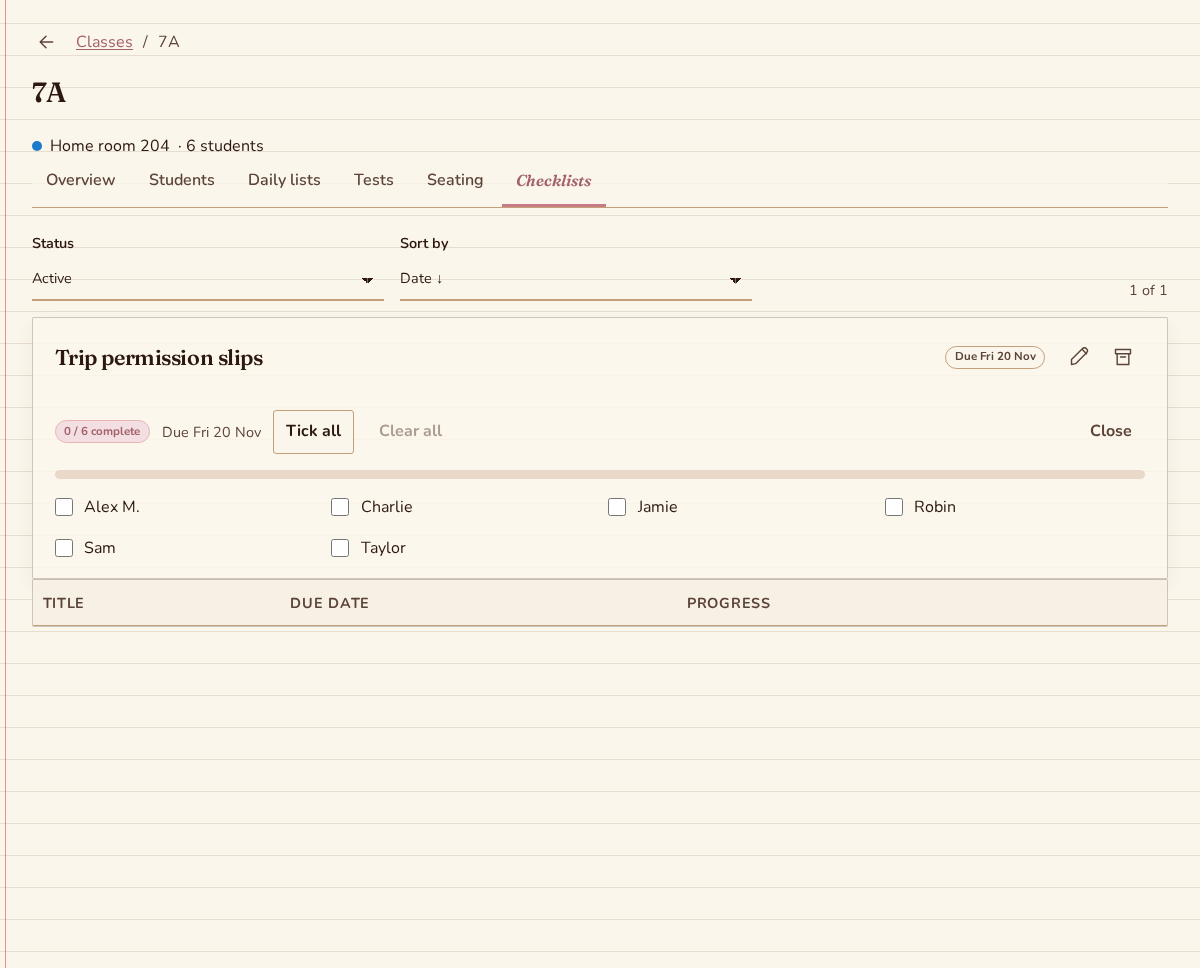
Create a checklist with a clear title, such as permission slips or reading books. Add an optional due date when the task belongs to a particular day. Each class can have several checklists.
Tick entries as things arrive
Mark each student done as you collect the item. Progress shows the number done out of the active roster. You can also tick or clear the whole list when that suits the task.
See the current class at a glance
New students appear unticked. Archived students leave the progress count. Each list uses the class’s current active roster.
Bring due tasks into Today
An optional due date brings a checklist into Today when it is due within seven days. Open the list to tick entries individually or tick or clear the whole roster.
Keep completed lists for later
Archive a completed list to keep it read-only. Restore it when its class and year are active and you have write access. Delete an active list when you no longer need its entries.
Questions about class checklists
Can I tick entries offline?
Yes, with previously downloaded class and checklist data. Open the checklist while connected beforehand. Supported entries save on your device and synchronize while the app is open after the connection returns. Creating a new checklist requires a connection.
What happens when someone joins the class?
A new active student appears unticked on the class's checklists. Progress uses the current active roster. This lets you see the new student alongside the class without rebuilding each list of names.
Does every checklist need a due date?
No. Use a title alone for an ongoing classroom collection, or add a due date for a task tied to a particular day. Active lists due within the next seven days appear on Today with their progress.
More teaching tools
Put your next teaching day in one place
A monthly subscription is optional after your trial. The price is shown before you subscribe. Cancel anytime.
Create your planner