Tools for your teaching day
Class notes with the context you will need later
Write a teaching observation, meeting follow-up or reminder. Add a date, type and optional class, student or subject. Notes save automatically and remain in your personal workspace.
Create your plannerTry it free. No payment card needed.
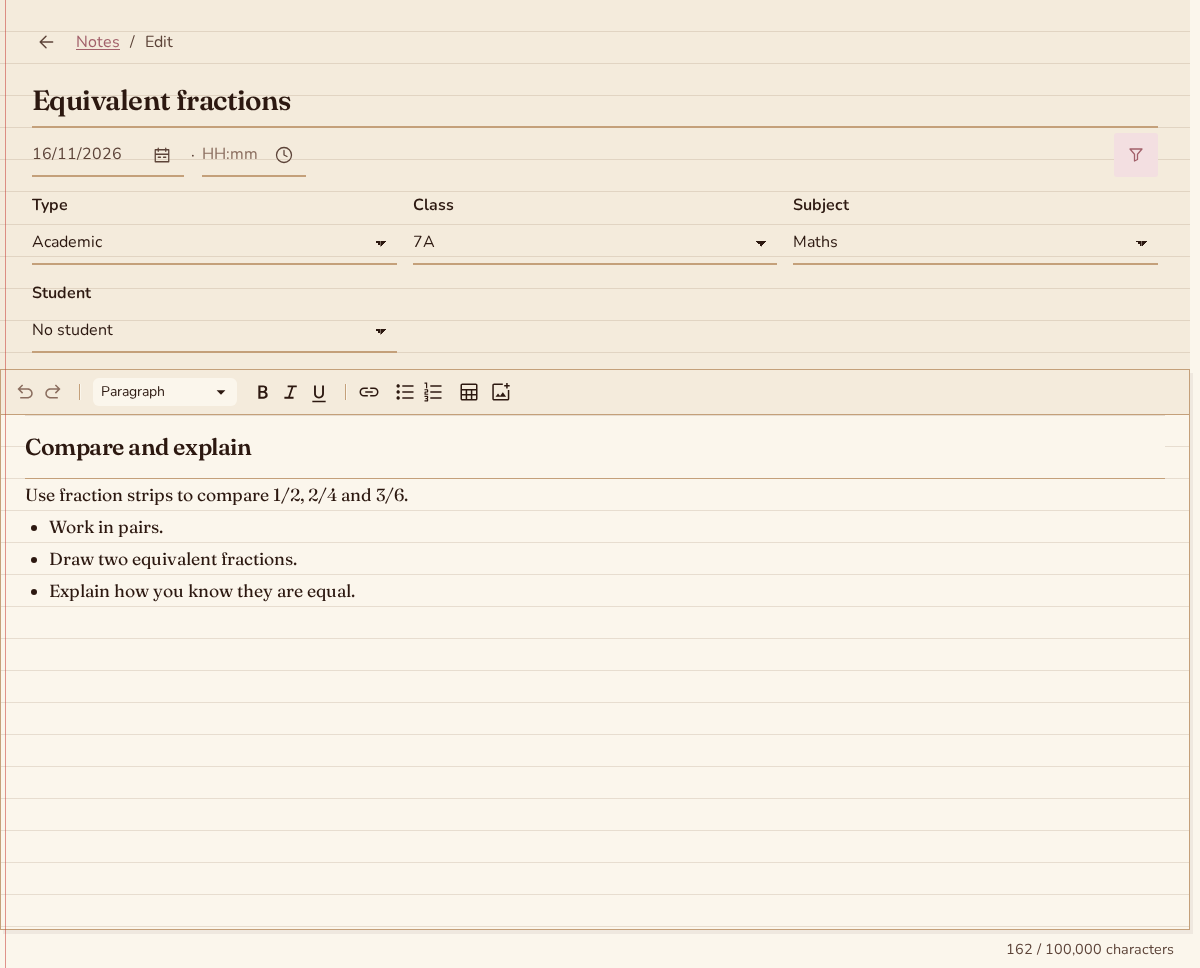
From a quick observation to a useful record
Write what you want to keep
Open a new note and write the observation in the body. Add a title if it helps you recognise the note later. You can keep a brief reminder or a longer account of a classroom discussion.
Add the right context
Choose the date, an optional time and a type. Link the note to a class and, when relevant, a student from that class. General teaching notes can stay without a class link.
Return when you need the detail
Filter notes by date, type, class or student. The newest appear first, and a student's page shows their recent notes. Your text stays connected to the context you chose.
Keep classroom observations easy to find
Choose a default type or enter your own. Filter by type, class, subject, student or dates. Status separates past notes from today and later; sorting changes the date order.
Write without a separate Save step
Changed drafts save on this device after a short pause. Complete notes then synchronize automatically. Reopen unfinished drafts to continue, and check synchronization before switching devices.
Keep the information useful over time
Add images when useful and keep student information limited to teaching needs. Notes linked to archived records are read-only. Use the lesson editor for plans and homework tied to a scheduled lesson.
Questions about class notes
Can I write a note without an internet connection?
Yes, with previously downloaded supporting data. Drafts and supported note edits stay on your device and synchronize while the app is open after reconnection. The status shows whether the note is saved locally, waiting to sync or needs attention.
Can I include images?
You can add PNG, JPEG, GIF or WebP images inside the note, up to 5 MiB per image. Images belong to your workspace. Pending local images remain available with the note until they can be uploaded and synchronized.
Does a note have to belong to a student?
No. You can keep a general note, link it to a class, or link it to a student in that class. Date, type, class and student filters help you find the record later without putting every note into a student file.
More teaching tools
Put your next teaching day in one place
A monthly subscription is optional after your trial. The price is shown before you subscribe. Cancel anytime.
Create your planner