Tools for your teaching day
An online gradebook for daily lists and tests
Record daily marks and test grades beside your class roster. Choose a grading scheme, enter results and review student and class averages. Each grade keeps its original label and numeric value.
Create your plannerTry it free. No payment card needed.
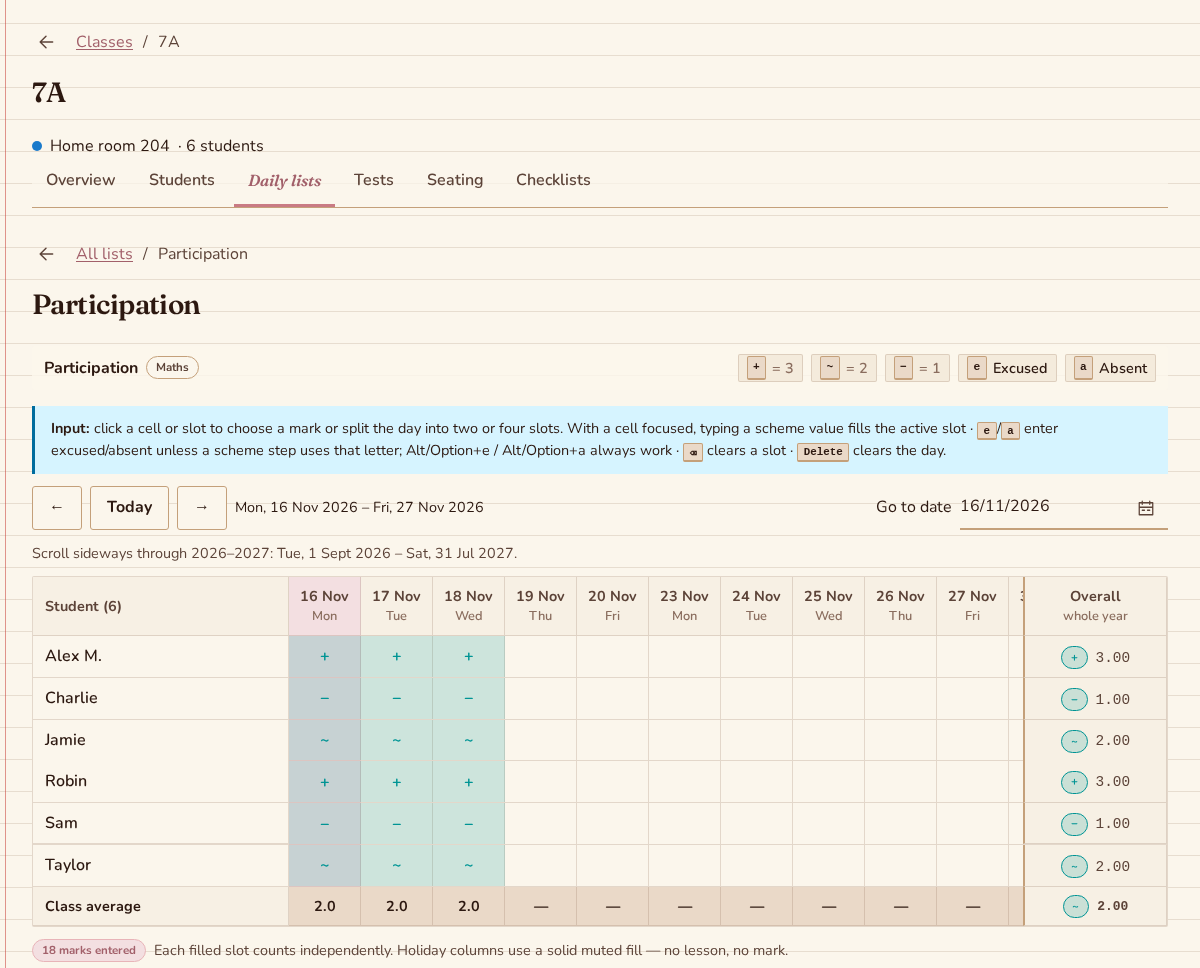
Set up a gradebook around your class
Choose the grading scheme
Set up the labels and numeric values that fit your teaching. A daily list or test uses its chosen scheme, so the marks available during entry have a clear meaning.
Record the teaching day
Use a daily list for observations across teaching days, with students in rows and dates in columns. For a dated assessment, create a test and enter one grade per participant. Tests also appear in the calendar.
Review the recorded results
See student overalls and class averages in the relevant list or test group. Existing grades retain their recorded label and value when you later edit a scheme, so a scheme change does not rewrite earlier results.
Record several observations in one day
Use daily lists for marks across teaching days and tests for one dated assessment. Both can have a subject from the class’s academic year; their tables show subjects and offer a subject filter.
Keep entry quick during class
Daily cells hold one, two or four independent marks and an optional comment. Tests give each participant one grade. Download the records while connected to keep grading offline.
Understand what an overall includes
A daily-list average gives each scored slot equal weight. Test averages group tests with exactly the same name and scheme, optionally split by subject. Excused, absent and empty entries are excluded.
Questions about the teacher gradebook
Can I enter grades when the school connection drops?
Daily grading and test grading work offline with previously downloaded class lists, schemes and other supporting data. Open the views you need while connected beforehand. Pending changes remain on the device and synchronize while the app is open after the connection returns.
Can I use my own grade labels?
Yes. Grading schemes let you configure labels and numeric values, for example plus and minus signs, numbers or letters. Stored grades keep the label and value they had when recorded; later scheme edits do not silently change your earlier results.
Will students or parents see the grades?
Skweeshy is a personal workspace for individual teachers. Students and parents do not have accounts or a results portal. You use the recorded marks, test results and comments as part of your own planning and classroom work.
More teaching tools
Put your next teaching day in one place
A monthly subscription is optional after your trial. The price is shown before you subscribe. Cancel anytime.
Create your planner